Power Tools
How to Use a Router: A Beginner's Guide
Learn how to use a router for woodworking with this beginner's guide covering router basics, bit types, feed direction, and safe edge routing techniques.
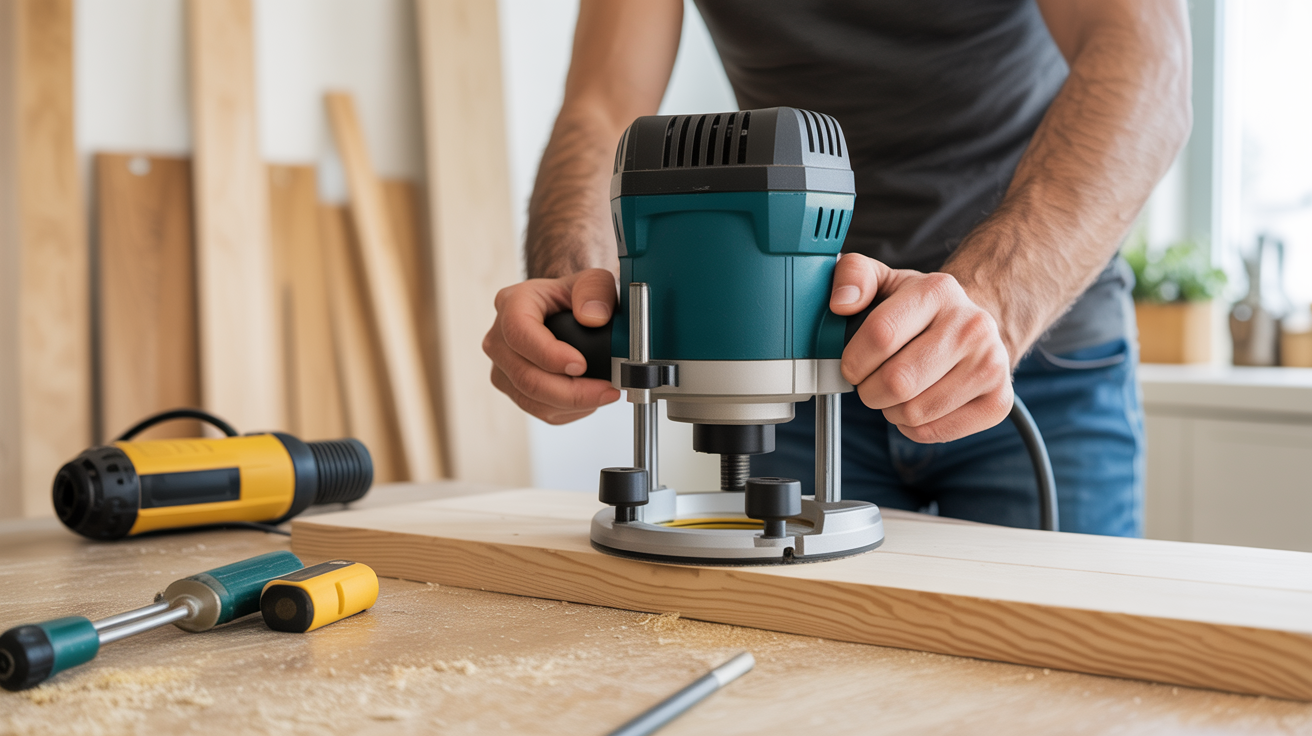
A wood router is one of the most capable tools in any beginner's shop. It cuts profiles, trims edges flush, shapes grooves, and creates joinery that would take hours by hand. Once you understand router basics and a few hard rules, it moves from intimidating to genuinely fun to use.
Fixed Base vs Plunge Base: Which Should You Start With?
Routers come in two main configurations, and the difference matters before you buy.
A fixed-base router locks the bit at a set depth. You adjust depth before the cut, tighten the base ring, and that's where it stays. This makes it easier to control and more stable for edge routing, profile work, and template following. Most beginners do well starting here.
A plunge base lets you lower the spinning bit into the workpiece mid-cut. That sounds useful and it is, but it adds a variable that beginners don't need yet. Plunge routers shine for mortises, stopped dados, and any cut that can't start from the edge. If you're buying one router to start, get a fixed base.
Both styles take the same bits. The collet (the clamping sleeve that holds the bit shank) comes in two sizes: 1/4 inch and 1/2 inch. Most compact routers are 1/4-inch only. Full-size routers accept both, usually with a swap-out collet. Half-inch bits run noticeably smoother because the larger shank absorbs vibration better, so when you're ready to upgrade, a full-size router gives you more options.
Router Bits Explained: The Ones Worth Knowing First
There are hundreds of router bit profiles. You don't need most of them. The table below covers the bits a beginner will reach for repeatedly.
| Bit Type | What It Does | Common Use |
|---|---|---|
| Round-over | Cuts a rounded profile on an edge | Softening shelf edges, tabletops, frames |
| Chamfer | Cuts a flat angled bevel | Decorative edges, reducing sharp corners |
| Flush-trim | Cuts flush using a bearing that follows a template | Trimming veneer, pattern routing |
| Straight | Cuts a flat-bottomed channel | Dados, grooves, rabbets |
| Rabbeting | Cuts a step at the edge using a bearing | Fitting panels into frames, drawer bottoms |
| Cove | Cuts a concave profile | Decorative molding, furniture edges |
Start with a round-over bit and a straight bit. They cover most early projects, and you'll learn how the router behaves without fighting a complicated profile.
Carbide-tipped bits outlast high-speed steel versions by a large margin. Buy carbide from the start. A dull bit is more dangerous than a sharp one because it requires more pressure and tends to grab.
Feed Direction and Why It Matters
This is the single most important concept for safe, clean routing. Get it wrong and you'll get torn grain at best, a kickback at worst.
The rule: feed the router so the bit is cutting against its rotation. When routing the outside edge of a board, this means moving left to right when the router is in front of you (counterclockwise around the workpiece, from above).
Climb cutting (feeding with the rotation instead of against it) pulls the router forward aggressively. Experienced woodworkers use it for very light finishing passes, but as a beginner you should avoid it entirely. Mark an arrow on your workbench pointing in the correct feed direction until it becomes automatic.
On inside edges, such as cutting around the interior of a frame, the feed direction reverses. You'll move clockwise around the opening (from above). Take a moment before each cut to think about which direction the bit is spinning and move against it.
Setting Up for a Safe, Clean Cut
Rushing the setup is where beginners cause the most trouble. These steps take two minutes and prevent most problems.
Secure the workpiece. A router spins at 20,000 to 25,000 RPM. Any workpiece movement during a cut becomes a problem fast. Use clamps, a router mat, or bench dogs. For small pieces, secure them in a vise or clamp them to a larger scrap backing board.
Set your depth in passes. Don't try to remove 3/4 inch of material in a single pass. For profiling, one or two passes is usually enough. For deep dados or grooves, take no more than 1/4 to 3/8 inch per pass. Multiple light passes produce cleaner cuts and put less stress on the bit and motor.
Use an edge guide for straight cuts. Most routers include a fence that clamps to the base and rides against the board edge. For routing a dado parallel to a straight edge, this is far more accurate than freehand. Alternatively, clamp a straight piece of scrap to the workpiece as a fence for the router base to follow.
Wear eye and ear protection. Chips come out fast and the motor noise is sustained. Hearing damage from router use is cumulative, so plugs or muffs are not optional.
Before you start the router, check:
- The bit is seated fully in the collet and the collet nut is tight
- The depth is set and locked
- The workpiece is clamped down with no clamps in the path of the bit
- Your hands are clear of the bit path
Edge Routing: The First Real Project Skill
Edge routing with a round-over or chamfer bit is how most beginners first use a router, and it's the fastest way to make a project look intentional rather than rough.
Clamp the board to your bench with the edge you're routing hanging slightly over the side, or set it on top of a sacrificial board to protect the bench. If you're routing all four edges of a tabletop, do the end grain edges first. Any blowout at the corners gets cleaned up when you route the long-grain edges second.
Keep the router base flat on the workpiece and move at a steady pace. Too slow and you'll burn the wood (especially with cherry or maple). Too fast and the cut will be rough. You'll develop a feel for this after a few feet of practice on scrap. Start with scrap from the same species as your project since different woods cut differently.
If the bit has a bearing (round-over and rabbeting bits usually do), the bearing rides against the edge of the workpiece and controls the cut automatically. No edge guide needed. Just keep the base flat and the bearing in contact with the edge.
Common Beginner Mistakes
A few patterns come up repeatedly for people new to routers.
Not seating the bit fully. The shank should be inserted all the way into the collet, then backed out about 1/16 inch before tightening. This prevents bottoming out against the collet and allows the collet to clamp properly. A loose bit is a serious hazard.
Routing with the grain on the wrong faces. End grain requires a slower feed rate and often needs a backing piece clamped at the end of the cut to prevent blowout.
Taking too deep a pass. The motor bogs down, the bit deflects, and the cut looks rough. If you hear the motor struggling, you're asking too much. Back off the depth and make another pass.
Forgetting the feed direction. It's worth saying twice. Check before every cut, not just the first one on a new board.
For more on developing control with power tools before you pick up the router, the techniques in getting started with a random orbital sander apply directly to understanding how surface quality builds from light passes. The setup habits in how to use a drill and driver like a pro carry over here too, particularly around securing work and checking that bits are fully seated. If you've already worked through circular saw basics for accurate cuts, you'll recognize the feed-direction logic from that tool in what the router asks of you.
Frequently Asked Questions
How fast should I move the router?
There's no single speed, because it depends on the wood species, bit diameter, and depth of cut. A useful guide: the cut should produce small chips, not dust or smoke. Dust means you're moving too slowly. Rough, torn grain usually means too fast or too aggressive a depth. Practice on scrap from the same wood as your project to dial in the pace.
Can I use a router table instead of a handheld router?
Yes, and for many cuts a router table is actually safer for beginners. The router is mounted upside-down under the table, and you feed the workpiece across the bit instead of moving the tool across the wood. This gives you better control on small pieces that are difficult to clamp. If you have a router table available, use it for edge profiles on small parts.
What's the difference between a 1/4" and 1/2" collet?
The collet size refers to the shank diameter of the bit, not the cutting diameter. A 1/2-inch shank is stiffer and transfers less vibration to the cut, which means smoother results and longer bit life. Compact routers only accept 1/4-inch shanks. Full-size routers (typically 2+ HP) can take both with a collet swap. For light edge routing, 1/4-inch bits work fine. For heavier material removal or large-diameter bits, 1/2-inch shanks are noticeably better.
Do I need to buy a router with variable speed?
Variable speed is worth having, especially for large-diameter bits (over 1 inch). Large bits need to run slower to keep the outer edge of the bit at a safe surface speed. A fixed-speed router running a 2-inch raised panel bit is asking for trouble. If you plan to stay with smaller profiling bits, a fixed-speed compact router works well. If you want flexibility, get variable speed.
Why does my router burn the wood?
Burning almost always comes from one of three things: a dull bit, too slow a feed rate, or making too many repeated passes over the same spot. Check the bit first. If it's sharp and you're still getting burns, pick up your feed pace slightly. Cherry and maple are especially prone to burning and reward a quicker, more confident feed.